Showing posts with label Attribute Based Permission. Show all posts

Wednesday, 15 July 2009

Securing Dynamic Data Preview 4 Refresh – Part 3

Continuing from the previous article Securing Dynamic Data Preview 4 Refresh – Part 2  we will proceed to complete the series by finishing off the hyperlinks so you have the option of them all showing as disabled or all being hidden.

The reasoning behind this extra bit to the series (if you can call two articles a series) is I don’t like

  • Dead hyperlinks when you mouse over you get the hyperlink action i.e. underline.
  • I like consystancy i.e. some links hidden and some shown as dead I want it all to be the same.

So to complete this we will add a new web user control called DynamicHyperLink.ascx which will wrap the asp:DynamicHyperlink control.

%@ Control 
    Language="C#" 
    AutoEventWireup="true" 
    CodeBehind="DynamicHyperLink.ascx.cs" 
    Inherits="DD_EF_SecuringDynamicData.DynamicData.DynamicHyperLink" %>

<asp:DynamicHyperLink 
    ID="DynamicHyperLink1" 
    runat="server" 
    onprerender="DynamicHyperLink1_PreRender">
</asp:DynamicHyperLink>
<asp:Literal ID="Literal1" runat="server">&nbsp;</asp:Literal>

Listing 1 - DynamicHyperLink.ascx

public partial class DynamicHyperLink : System.Web.UI.UserControl
{
    public String Action { get; set; }
    public String Text { get; set; }
    public String CssClass { get; set; }
    public Boolean ShowText { get; set; }
    public String DisabledClass { get; set; }

    protected void Page_Init(object sender, EventArgs e)
    {
        DynamicHyperLink1.Action = Action;
        DynamicHyperLink1.Text = Text;
        DynamicHyperLink1.CssClass = CssClass;
    }

    /// <summary>
    /// Handles the PreRender event of the DynamicHyperLink1 control.
    /// </summary>
    /// <param name="sender">The source of the event.</param>
    /// <param name="e">
    /// The <see cref="System.EventArgs"/> 
    /// instance containing the event data.
    /// </param>
    protected void DynamicHyperLink1_PreRender(object sender, EventArgs e)
    {
        // the DynamicHyperLink is considered disabled if it has no URL
        if (String.IsNullOrEmpty(DynamicHyperLink1.NavigateUrl))
        {
            DynamicHyperLink1.Visible = false;
            Literal1.Visible = false;
            if (ShowText)
            {
                Literal1.Visible = true;
                Literal1.Text = String.Format(
                    "<span class=\"{0}\">{1}</span>&nbsp;", 
                    DisabledClass, 
                    Text);
            }
        }
    }
}

Listing 2 - DynamicHyperLink.ascx.cs

With the DynamicHyperLink web user control we simply have some properties to allow us to pass in the main properties of the asp:DynamicHyperLink Action, Text and CssClass. The last two properties ShowText and DisbledClass are used:

  • ShowText – to show the Text property in a span when the DynamicHyerLink is hidden.
  • DisbledClass – is the css class to use when ShowText is true.

So this is the way it works:

When the DynamicHyperLink’s NavigateUrl is and empty string or null then the DynamicHyperLink is in the disabled state. In the disabled state if ShowText is false then no control is displayed when in a disabled state, and when ShowText is true as span is displayed surrounding the Text property and having the DisabledCalss css as the span’s class.

<%@ Control 
    Language="C#" 
    AutoEventWireup="true" 
    CodeBehind="DeleteLink.ascx.cs" 
    Inherits="DD_EF_SecuringDynamicData.DeleteLink" %>
<asp:LinkButton 
    ID="LinkButton1" 
    runat="server" 
    CommandName="Delete" Text="Delete"
    OnClientClick='return confirm("Are you sure you want to delete this item?");' />
<asp:Literal ID="Literal1" runat="server">&nbsp;</asp:Literal>

Listing 3 – DeleteHyperLink.ascx

public partial class DeleteHyperLink : System.Web.UI.UserControl
{
    public Boolean ShowText { get; set; }
    public String CssClass { get; set; }
    public String DisabledClass { get; set; }

    protected void Page_Load(object sender, EventArgs e)
    {
        LinkButton1.CssClass = CssClass;

        // get restrictions for the current
        // users access to this table
        var table = DynamicDataRouteHandler.GetRequestMetaTable(Context);
        var usersRoles = Roles.GetRolesForUser();
        var tableRestrictions = table.Attributes.OfType<SecureTableAttribute>();
        if (tableRestrictions.Count() == 0)
            return;

        foreach (var tp in tableRestrictions)
        {
            // the LinkButton is considered disabled if delete is denied.
            if (tp.HasAnyRole(usersRoles) &&
                (tp.Restriction & TableDeny.Delete) == TableDeny.Delete)
            {
                LinkButton1.Visible = false;
                LinkButton1.OnClientClick = null;
                LinkButton1.Enabled = false;
                Literal1.Visible = false;
                if (ShowText)
                {
                    Literal1.Visible = true;
                    Literal1.Text = String.Format(
"<span class=\"{0}\">Delete</span>&nbsp;",
DisabledClass); } } } } }

Listing 4 – DeleteHyperLink.ascx.cs

This is pretty similar to the DynamicHyperLink.ascx the main difference being how the LinkButton is determined to be disabled, this is done by the foreach loop checking each restriction on the current table and checking to see if it is TableDeny.Delete and if so setting the disabled state.

Download

Note: This has an ASPNETDB database which requires SQL Express 2008 and a connection to Northwind you will need to edit the connection string for Northwind.

Happy coding HappyWizard

Tuesday, 14 July 2009

Securing Dynamic Data Preview 4 Refresh – Part 2

Continuing from the previous article Securing Dynamic Data Preview 4 Refresh – Part 1 we will proceed to complete the second two items in the to do list below:

Things we will need to Do

  • Dynamic Data Route Handler
  • Remove Delete Link from List and Details pages
  • Secure Meta model classes
  • Make columns read only using Entity Templates.

Secure Meta model classes

It would have been nice if I could have overridden the Scaffold and IsReadOnly methods of the MetaColumn class for this there would have been less code peppered around Dynamic Data but we can hope for the future.

public class SecureMetaModel : MetaModel
{
    /// <summary>
    /// Creates the metatable.
    /// </summary>
    /// <param name="provider">The metatable provider.</param>
    /// <returns></returns>
    protected override MetaTable CreateTable(TableProvider provider)
    {
        return new SecureMetaTable(this, provider);
    }
}

Listing 1 – SecureMetaModel class

public class SecureMetaTable : MetaTable
{
    /// <summary>
    /// Initializes a new instance of the <see cref="SecureMetaTable"/> class.
    /// </summary>
    /// <param name="metaModel">The meta model.</param>
    /// <param name="tableProvider">The table provider.</param>
    public SecureMetaTable(
        MetaModel metaModel, 
        TableProvider tableProvider) :
        base(metaModel, tableProvider) { }

    protected override void Initialize()
    {
        base.Initialize();
    }

    /// <summary>
    /// Gets the scaffold columns.
    /// </summary>
    /// <param name="mode">The mode.</param>
    /// <param name="containerType">Type of the container.</param>
    /// <returns></returns>
    public override IEnumerable<MetaColumn> GetScaffoldColumns(
        DataBoundControlMode mode, 
        ContainerType containerType)
    {
        return from column in base.GetScaffoldColumns(mode, containerType)
               where column.SecureColumnVisible()
               select column;
    }
}

Listing 2 – SecureMetaTable class

/// <summary>
/// Secures the column visible.
/// </summary>
/// <param name="column">The column.</param>
/// <returns></returns>
public static Boolean SecureColumnVisible(this MetaColumn column)
{
    var userRoles = Roles.GetRolesForUser();
    var activeDenys = column.GetColumnPermissions(userRoles);
    if (activeDenys.Contains(ColumnDeny.Read))
        return false;
    else
        return true;
}

Listing 3 – SecureColumnVisible extension method

[Flags]
public enum ColumnDeny
{
    Read    = 1,
    Write   = 2,
}

Listing 4 – ColumnDeny enum

So in the above four listings we have the simplified solution to hide columns based on user roles.

How it works

Listing 1 is required to let us include the SecureMetaTable in the default model Listing 2 is the SecureMetaTable all we do here is filter the columns based on user roles see Listing 3 SecureColumnVisible which hides columns based on ColumnDeny.Read this very easily and cleanly done thanks to the ASP.Net team and letting us derive from the meta classes.

Make columns read only using Entity Templates

Now to make columns read only in Edit or Insert modes based on use roles, for this we will modify tow of the default EntityTemplates Default_Edit.ascx.cs and Default_Insert.ascx.cs in these template we add the code in listing 5 to the DynamicControl_Init event handler.

if (currentColumn.SecureColumnReadOnly())
    dynamicControl.Mode = DataBoundControlMode.ReadOnly;
else
    dynamicControl.Mode = DataBoundControlMode.Edit; //Insert for the insert template
Listing 5 – Code to make a field read only in Edit or Insert modes
protected void DynamicControl_Init(object sender, EventArgs e)
{
    DynamicControl dynamicControl = (DynamicControl)sender;
    dynamicControl.DataField = currentColumn.Name;

    if (currentColumn.SecureColumnReadOnly())
        dynamicControl.Mode = DataBoundControlMode.ReadOnly;
    else
        dynamicControl.Mode = DataBoundControlMode.Edit; //Insert for the insert template
}

Listing 6 – finished DynamicControl_Init for the Edit Entity Template

/// <summary>
/// Secures the column read only.
/// </summary>
/// <param name="column">The column.</param>
/// <returns></returns>
public static Boolean SecureColumnReadOnly(this MetaColumn column)
{
    var userRoles = Roles.GetRolesForUser();
    var activeDenys = column.GetColumnPermissions(userRoles);
    if (activeDenys.Contains(ColumnDeny.Write))
        return true;
    else
        return false;
}

Listing 7 – SecureColumnReadOnly extension method

/// <summary>
/// Get a list of permissions for the specified role
/// </summary>
/// <param name="attributes">
/// Is a AttributeCollection taken 
/// from the column of a MetaTable
/// </param>
/// <param name="role">
/// name of the role to be matched with
/// </param>
/// <returns>A List of permissions</returns>
public static List<ColumnDeny> GetColumnPermissions(this MetaColumn column, String[] roles)
{
    var permissions = new List<ColumnDeny>();

    // you could put: 
    // var attributes = column.Attributes;
    // but to make it clear what type we are using:
    System.ComponentModel.AttributeCollection attributes = column.Attributes;

    // check to see if any roles passed
    if (roles.Count() > 0)
    {
        // using Linq to Object to get 
        // the permissions foreach role
        permissions = (from a in attributes.OfType<SecureColumnAttribute>()
                       where a.HasAnyRole(roles)
                       select a.Permission).ToList();
    }
    return permissions;
}

Listing 8 – GetColumnPermissions extension method

The above code Listings 5 & 6 simply test to see if the column is restricted to read only based on users roles and uses Listing 7 & 8 extension methods to achieve this.

And finally to make this work with Dynamic Data we need to modify the Global.asax

public class Global : System.Web.HttpApplication
{
    private static MetaModel s_defaultModel = new SecureMetaModel();
    public static MetaModel DefaultModel
    {
        get
        {
            return s_defaultModel;
        }
    }

    public static void RegisterRoutes(RouteCollection routes)
    {
        DefaultModel.RegisterContext(
            typeof(Models.NorthwindEntities), 
            new ContextConfiguration() { ScaffoldAllTables = true });

        routes.Add(new DynamicDataRoute("{table}/{action}.aspx")
        {
            Constraints = new RouteValueDictionary(new { action = "List|Details|Edit|Insert" }),
            RouteHandler = new SecureDynamicDataRouteHandler(),
            Model = DefaultModel
        });
    }

    void Application_Start(object sender, EventArgs e)
    {
        RegisterRoutes(RouteTable.Routes);
    }
}

Listing 9 – adding the SecureMetaModel to the Globalasax

Once we have a declared  our metamodel property in the Global.asax we can just reference it for the app by using it to register the context.

Download

Note: This has an ASPNETDB database which requires SQL Express 2008 and a connection to Northwind you will need to edit the connection string for Northwind.

I’m working on better hyperlinks for another post to follow shortly, these hyperlinks will offer the option of:

  • Hiding the link if it is disabled
  • Showing plain text if disabled

via an property at design time.

Monday, 13 July 2009

Securing Dynamic Data Preview 4 Refresh – Part 1

This article is another stab at creating a simple framework to add a simple security layer to Dynamic Data. This time I’ve based my first level of security on the sample posted by Veloce here Secure Dynamic Data Site. And getting column level security using the Great Buried Sample in Dynamic Data Preview 4 – Dynamic Data Futures I found last month.

Like my previous security layers for Dynamic Data I’m going to use a permissive system because you have to add these attributes to the metadata classes (and that can be a laborious task) and so I though is would be better under these circumstances to just remove access at individual tables and columns, rather than having to add attributes to every table and column to set the security level.

Things we will need to Do

  • Dynamic Data Route Handler
  • Remove Delete Link from List and Details pages
  • Secure Meta model classes
  • Make columns read only using Entity Templates.

Dynamic Data Route Handler

Firstly again we must thank Veloce for his Secure Dynamic Data Site see his blog for morebits (pun intended) of Dynamic Data goodness. So what I decided to do was cut out a load of stuff from his example and pare it down to something that is easy to modify and understand.

/// <summary>
/// The SecureDynamicDataRouteHandler enables the 
/// user to access a table based on the following:
/// the Roles and TableDeny values assigned to 
/// the SecureTableAttribute.
/// </summary>
public class SecureDynamicDataRouteHandler : DynamicDataRouteHandler
{
    public SecureDynamicDataRouteHandler() { }

    /// <summary>
    /// Creates the handler.
    /// </summary>
    /// <param name="route">The route.</param>
    /// <param name="table">The table.</param>
    /// <param name="action">The action.</param>
    /// <returns>An IHttpHandler</returns>
    public override IHttpHandler CreateHandler(
        DynamicDataRoute route,
        MetaTable table,
        string action)
    {
        var usersRoles = Roles.GetRolesForUser();
        var tableRestrictions = table.Attributes.OfType<SecureTableAttribute>();

        // if no permission exist then full access is granted
        if (tableRestrictions.Count() == 0)
            return base.CreateHandler(route, table, action);

        foreach (var tp in tableRestrictions)
        {
            if (tp.HasAnyRole(usersRoles))
            {
                // if any action is denied return no route
                if ((tp.Restriction & TableDeny.Read) == TableDeny.Read)
                    return null;
                if ((tp.Restriction & TableDeny.Write) == TableDeny.Write &&
                    ((action == "Edit") || (action == "Insert")))
                    return null;
            }
        }

        return base.CreateHandler(route, table, action);
    }
}

Listing 1 – SecureDynamicDataRouteHandler

This route handler is called each time a route is evaluated see listing 2 where we have added RouteHandler = new SecureDynamicDataRouteHandler() to the default route.

routes.Add(new DynamicDataRoute("{table}/{action}.aspx")
{
    Constraints = new RouteValueDictionary(new { action = "List|Details|Edit|Insert" }),
    RouteHandler = new SecureDynamicDataRouteHandler(),
    Model = DefaultModel
});

Listing 2 – Default route in Global.asax.cs

Now look at the CreateHandler method of Listing 1 1st we get users roles and the tables permissions, then if the table has no restrictions we just return a handler from the base DynamicDataRouteHandler class. After this we check each table restriction to see if this user is in one of the roles in the restriction, then is the user has one of the roles in the restriction we check the restrictions (most restricting first) for a match and then deny the route by returning null appropriately.

[Flags]
public enum TableDeny
{
    Read    = 1,
    Write   = 2,
    Delete  = 4,
}

[Flags]
public enum DenyAction
{
    Delete = 0x01,
    Details = 0x02,
    Edit = 0x04,
    Insert = 0x08,
    List = 0x10,
}

Listing 3 – Security enums

Note: You don’t need to have the values appended to the enum i.e. Delete = 0x01 but it’s worth noting that if you don’t set the first value to 1 it will default to 0 and any failed result will match 0 i.e. tp.Restriction & DenyAction.List if enum then even it tp.Restriction does not AND with DenyAction.List the result will be 0

Listing 3 shows the security enums used in this sample however the DenyAction is not used I include it here as an option I considered in place of TableDeny enum. Let me explain you could replace the code inside the foreach loop of the route handler with Listing 4.

// alternate route handler code
if ((tp.Restriction & DenyAction.List) == DenyAction.List &&
    action == "List")
    return null;
if ((tp.Restriction & DenyAction.Details) == DenyAction.Details &&
    action == "Details")
    return null;
if ((tp.Restriction & DenyAction.Edit) == DenyAction.Edit &&
    action == "Edit")
    return null;
if ((tp.Restriction & DenyAction.Insert) == DenyAction.Insert &&
    action == "Insert")
    return null;  

Listing 4 – alternate route handler code

This would allow you to deny individual actions instead of Read or Write as in basic form of the route handler.

Note: You should also note the use of the [Flags] attribute on the enums as this allows this sort of declaration in the metadata:
[SecureTable(TableDeny.Write | TableDeny.Delete, "Sales")]
which is the reason why we have the test in the form of:
(tp.Restriction & DenyAction.List) == DenyAction.List 
and not
tp.Restriction == DenyAction.List

[AttributeUsage(AttributeTargets.Class, AllowMultiple = true)]
public class SecureTableAttribute : System.Attribute
{
    // this property is required to work with "AllowMultiple = true" ref David Ebbo
    // As implemented, this identifier is merely the Type of the attribute. However, 
    // it is intended that the unique identifier be used to identify two 
    // attributes of the same type.
    public override object TypeId { get { return this; } }

    /// <summary>
    /// Constructor
    /// </summary>
    /// <param name="permission"></param>
    /// <param name="roles"></param>
    public SecureTableAttribute(TableDeny permission, params String[] roles)
    {
        this._permission = permission;
        this._roles = roles;
    }

    private String[] _roles;
    public String[] Roles
    {
        get { return this._roles; }
        set { this._roles = value; }
    }

    private TableDeny _permission;
    public TableDeny Restriction
    {
        get { return this._permission; }
        set { this._permission = value; }
    }

    /// <summary>
    /// helper method to check for roles in this attribute
    /// the comparison is case insensitive
    /// </summary>
    /// <param name="role"></param>
    /// <returns></returns>
    public Boolean HasRole(String role)
    {
        // call extension method to convert array to lower case for compare
        String[] rolesLower = _roles.AllToLower();
        return rolesLower.Contains(role.ToLower());
    }
}

Listing 5 -  SecureTableAttribute

The TableDenyAttribute is strait forward two properties and a methods to check if a roles is in the Roles property.

public static class SecurityExtensionMethods
{
    /// <summary>
    /// Returns a copy of the array of string 
    /// all in lowercase
    /// </summary>
    /// <param name="strings">Array of strings</param>
    /// <returns>array of string all in lowercase</returns>
    public static String[] AllToLower(this String[] strings)
    {
        String[] temp = new String[strings.Count()];
        for (int i = 0; i < strings.Count(); i++)
        {
            temp[i] = strings[i].ToLower();
        }
        return temp;
    }

    /// <summary>
    /// helper method to check for roles in this attribute
    /// the comparison is case insensitive
    /// </summary>
    /// <param name="roles"></param>
    /// <returns></returns>
    public static Boolean HasAnyRole(this SecureTableAttribute tablePermission, String[] roles)
    {
        var tpsRoles = tablePermission.Roles.AllToLower();
        // call extension method to convert array to lower case for compare
        foreach (var role in roles)
        {
            if (tpsRoles.Contains(role.ToLower()))
                return true;
        }
        return false;
    }
}

Listing 6 – some extension methods

These extension methods in Listing 6 are used to make the main code more readable.

Remove Delete Link from List and Details pages

I’m including this with this first article because it will give you a complete solution at table level.

<%@ Control 
    Language="C#" 
    AutoEventWireup="true" 
    CodeBehind="DeleteButton.ascx.cs" 
    Inherits="DD_EF_SecuringDynamicData.DeleteButton" %>
<asp:LinkButton 
    ID="LinkButton1" 
    runat="server" 
    CommandName="Delete" Text="Delete"
    OnClientClick='return confirm("Are you sure you want to delete this item?");' />

Listing 7 – DeleteButton.ascx

public partial class DeleteButton : System.Web.UI.UserControl
{
    protected void Page_Load(object sender, EventArgs e)
    {
        var table = DynamicDataRouteHandler.GetRequestMetaTable(Context);

        var usersRoles = Roles.GetRolesForUser();
        var tableRestrictions = table.Attributes.OfType<SecureTableAttribute>();
        if (tableRestrictions.Count() == 0)
            return;

        foreach (var tp in tableRestrictions)
        {
            if (tp.HasAnyRole(usersRoles) &&
                (tp.Restriction & TableDeny.Delete) == TableDeny.Delete)
            {
                LinkButton1.Visible = false;
                LinkButton1.OnClientClick = null;
                LinkButton1.Enabled = false;
            }
        }
    }
}

Listing 8 – DeleteButton.ascx.cs

This user control in Listing 8 is used to replace the delete button on the List.aspx and Details.aspx pages, this code is very similar to the code in the route handler. We first check each restriction to see if the user is in one of its roles and then if the restriction is TableDeny.Delete and then disable the Delete button.

<ItemTemplate>
    <table id="detailsTable" class="DDDetailsTable" cellpadding="6">
        <asp:DynamicEntity runat="server" />
        <tr class="td">
            <td colspan="2">
                <asp:DynamicHyperLink 
                    runat="server" 
                    Action="Edit" 
                    Text="Edit" />
                <uc1:DeleteButton 
                    ID="DetailsItemTemplate1" 
                    runat="server" />
            </td>
        </tr>
    </table>
</ItemTemplate>

Listing 9 – Details.aspx page

<Columns>
    <asp:TemplateField>
        <ItemTemplate>
            <asp:DynamicHyperLink 
                runat="server" 
                ID="EditHyperLink" 
                Action="Edit" 
                Text="Edit"/>&nbsp;
            <uc1:DeleteButton 
                ID="DetailsItemTemplate1" 
                runat="server" />&nbsp;
            <asp:DynamicHyperLink 
                ID="DetailsHyperLink" 
                runat="server" 
                Text="Details" />
        </ItemTemplate>
    </asp:TemplateField>
</Columns>

Listing 10 – List.aspx page

<%@ Register src="../Content/DeleteButton.ascx" tagname="DeleteButton" tagprefix="uc1" %>

You will also need to add this line after the Page directive at the top of both the List.aspx and Details.aspx pages.

Note: I will present a slightly more complex version of this hyperlink user control in the next article which will allow the any hyperlink  as an option to remain visible but be disabled.

And that’s it for this article next we will look at using the Great Buried Sample in Dynamic Data Preview 4 – Dynamic Data Futures I mentioned earlier to allow us to hide column based on user’s roles and also add the feature to make columns read only based on user’s roles.

Saturday, 28 June 2008

DynamicData: Database Based Permissions - Part 5

**** OOPS ****

  1. Part 1 - Create the database tables.
  2. Part 2 - Add a User Interface to modify the permissions.
  3. Part 3 - User Marcin's InMemoryMetadataProvider to add the database based permissions to the Metadata at runtime.
  4. Part 4 - Add components from A DynamicData Attribute Based Permission Solution using User Roles to consume the database based metadata.
  5. Part 5 - Oops! Table Names with Spaces in them and Pluralization.

Oops! Table Names with Spaces in them and Pluralization smile_embaressed

This is a fix for the issue brought to light by António Borges from Portugal when he was implementing Database Based Permissions add on to a Dynamic Data website, with my project as a starting point. He noticed that although the user Fred had the correct permissions for the Orders table, he seemed to have full permissions to the Order_Details table even though in the admin interface it showed as restricted in the same way as the Orders table.

This turned out to be an issue similar to Pluralization which adds and removed S's (which I like). It turns out that when you drop a table on a Linq to SQL Classes design surface and the table name has spaces in it the designer adds an "_" underscore in place of the space (makes sense as you can't have a class name with a space in it) but because I was populating the tables with T-SQL I was getting the table names in a raw SQL state (I hadn't noticed this before even though I have been using Northwind with Linq to SQL since early betas of it in VD 2005).

So the fix it to populate the tables in code using Linq to SQL (which I also like :D) this will take information from the MetaModel which has table and column names which match the Linq to SQL Classes. I have also taken the opportunity to move some of the inline code in the Global.asax file to a separate class which I have imaginatively called the DatabaseMetadata class. Please see below:

using System;
using System.Linq;
using System.Web.DynamicData;
using Microsoft.Web.DynamicData;

public static class DatabaseMetadata
{
    /// <summary>
    /// Adds and Removes table and column info for the metadata tables
    /// </summary>
    /// <param name="model">Referances the model for the site</param>
    /// <param name="ADC">DataContext of the Attributes model</param>
    public static void UpdateAttributesTables(this MetaModel model, AttributesDataContext ADC)
    {
        // import tables and columns from MetaModel
        foreach (var table in model.Tables)
        {
            // if no table then
            if (ADC.AttributesTables.SingleOrDefault(at => at.TableName == table.Name) == null)
            {
                var t = new AttributesTable()
                {
                    TableName = table.Name
                };
                ADC.AttributesTables.InsertOnSubmit(t);
            }
            foreach (var column in table.Columns)
            {
                // if no column then
                if (ADC.AttributesColumns.SingleOrDefault(ac => ac.TableName == table.Name &&
                    ac.ColumnName == column.Name) == null)
                {
                    var c = new AttributesColumn()
                    {
                        TableName = table.Name,
                        ColumnName = column.Name
                    };
                    ADC.AttributesColumns.InsertOnSubmit(c);
                }
            }
        }

        // remove data from attributes table and columns 
        // where tables have been removed from the model
        var tableInADC = ADC.AttributesTables;
        var tableInModel = model.Tables;
        foreach (var table in tableInADC)
        {
            if (tableInModel.SingleOrDefault(mt => mt.Name == table.TableName) == null)
            {
                // remove column permissions
                var acp = from c in ADC.AttributesColumnPermissions
                          where c.TableName == table.TableName
                          select c;
                ADC.AttributesColumnPermissions.DeleteAllOnSubmit(acp);

                // remove columns
                var ac = from c in ADC.AttributesColumns
                         where c.TableName == table.TableName
                         select c;
                ADC.AttributesColumns.DeleteAllOnSubmit(ac);

                // remove table permissions
                var atp = from t in ADC.AttributesTablePermissions
                          where t.TableName == table.TableName
                          select t;
                ADC.AttributesTablePermissions.DeleteAllOnSubmit(atp);

                // remove table
                ADC.AttributesTables.DeleteOnSubmit(table);
            }
        }

        // finally submit changes
        ADC.SubmitChanges();
    }

    /// <summary>
    /// Imports Database Table Attributes
    /// </summary>
    /// <param name="model">Referances the model for the site</param>
    /// <param name="ADC">DataContext of the Attributes model</param>
    public static void ImportTableAttributes(this MetaModel model, AttributesDataContext ADC)
    {
        var tableAttributes = ADC.AttributesTablePermissions;
        if (tableAttributes.Count() > 0)
        {
            foreach (var ta in tableAttributes)
            {
                var table = model.Tables.SingleOrDefault(t => t.Name == ta.TableName);
                String[] roles = ta.Roles.Split(new Char[] { ',' });
                if (table != null)
                    InMemoryMetadataManager.AddTableAttributes
                        (
                            table.EntityType,
                            new TablePermissionsAttribute(ta.Permission, roles)
                        );
            }
        }
    }

    /// <summary>
    /// Imports Database Column Attributes
    /// </summary>
    /// <param name="model">Referances the model for the site</param>
    /// <param name="ADC">DataContext of the Attributes model</param>
    public static void ImportColumnAttributes(this MetaModel model, AttributesDataContext ADC)
    {
        var columnAttributes = ADC.AttributesColumnPermissions;
        if (columnAttributes.Count() > 0)
        {
            foreach (var col in columnAttributes)
            {
                var table = model.Tables.SingleOrDefault(t => t.Name == col.TableName);
                var column = table.EntityType.GetProperties().SingleOrDefault(c => c.Name == col.ColumnName);
                String[] roles = col.Roles.Split(new Char[] { ',' });
                if (table != null)
                    InMemoryMetadataManager.AddColumnAttributes
                        (
                            column,
                            new ColumnPermissionsAttribute(col.Permission, roles)
                        );
            }
        }
    }
}

Listing 1 - DatabaseMetadata Class

//model.RegisterContext(typeof(NWDataContext), new ContextConfiguration() { ScaffoldAllTables = true });
model.RegisterContext(typeof(NWDataContext), new ContextConfiguration()
{
    ScaffoldAllTables = true,
    MetadataProviderFactory =
        (
            type => new InMemoryMetadataTypeDescriptionProvider
                (
                    type, new AssociatedMetadataTypeTypeDescriptionProvider(type)
                )
        )
});

// get data context for attributes
var ADC = new AttributesDataContext();

// get any new tables and their column into the AttributesDataContext
ADC.UpdateAttributesTables(model);

// import Database Table Attributes
model.ImportTableAttributes(ADC);

// Import Database Column Attributes
model.ImportColumnAttributes(ADC);

attributesModel.RegisterContext(typeof(AttributesDataContext), new ContextConfiguration() { ScaffoldAllTables = true });

Listing 2 - excerpt from the Global.asax file changes is BOLD

The beauty of Linq to SQL is that the code reads so easily, I don't think much if any explanation is needed. Just note about the new functionality the UpdateAttributesTables extension method populates the attribute tables (Tables and Columns) in the AttributesDataContext much like the T-SQL did in Part 1 but now it will add any new tables you add to the MetaModel and also if a table is removed from the MetaModel it is removed and ALL record associated with it including any attributes you created.

I have also updated the project files for download.

SQL Server 2005 version

SQL Server 2008 version

Sunday, 22 June 2008

DynamicData: Database Based Permissions - Part 4

**** UPDATED ****

  1. Part 1 - Create the database tables.
  2. Part 2 - Add a User Interface to modify the permissions.
  3. Part 3 - User Marcin's InMemoryMetadataProvider to add the database based permissions to the Metadata at runtime.
  4. Part 4 - Add components from A DynamicData Attribute Based Permission Solution using User Roles to consume the database based metadata.
  5. Part 5 - Oops! Table Names with Spaces in them and Pluralization. 

Attribute Based Permissions added to Consume the Databased Based Metadata

I've added all the attribute based permissions login from my previous series A DynamicData Attribute Based Permission Solution using User Roles and zipped up the finished project files.

Here are the project files for Visual Studio 2008 with database in SQL Server 2005 and 2008, I've updated both downloads to use DynamicDataExtensions see below and to fix a small bug see Part 3 updates in bold.

Download for SQL server 2005

Download for SQL Server 2008

Note: I must emphasize that when you update the Table or Column attributes tables that the application MUST be restarted, see Marcin Dobosz's Dynamic Data samples: Custom metadata providers article on his blog under the section Truly dynamic metadata.

The user names and passwords:

Are now shown on the Login screen.

Yes the password is password, I know it's not good practice but it's only for demo  purposes.

Other changes I'm now making use of the DynamicDataExtensions (soon to be renamed DynamicDataFutures) and in particular the following FieldTemplates Enumeration.ascx & Enumeration_Edit.ascx instead of my own ColumnPermissions and TablePermissions. Further to the above I've added more users (see login page) and added more permissions to table and columns.

Thanks to David Ebbo for the above suggestions.

Saturday, 21 June 2008

DynamicData: Database Based Permissions - Part 3

**** UPDATED ****

  1. Part 1 - Create the database tables.
  2. Part 2 - Add a User Interface to modify the permissions.
  3. Part 3 - User Marcin's InMemoryMetadataProvider to add the database based permissions to the Metadata at runtime.
  4. Part 4 - Add components from A DynamicData Attribute Based Permission Solution using User Roles to consume the database based metadata.
  5. Part 5 - Oops! Table Names with Spaces in them and Pluralization.

Add the Database Based Permissions to the Metadata.

In this post we will add the final bit in this series which is using Marcin's InMemoryMetadataProvider to apply the permissions data from the database to the MetaModel used in the application. I've got to admit I was expecting this to be the most difficult bit of the series but thanks to Marcin and his InMemoryMetadataProvider sample Dynamic Data samples: Custom metadata providers on his blog is was easy hardly any reflection used at all.

model.RegisterContext(typeof(NWDataContext), new ContextConfiguration()
{
    ScaffoldAllTables = true,
    MetadataProviderFactory = 
        (
            type => new InMemoryMetadataTypeDescriptionProvider
                (
                    type, new AssociatedMetadataTypeTypeDescriptionProvider(type)
                )
        )
});

Listing 1 - adding the InMemoryMetadataProvider

As you can see all I have had to do here is add same code as Marcin had in his blog to add the InMemoryMetadataProvider nice. And flowing on from that we add our two pieces of code one for the table attributes and one for the column attributes.

var tableAttributes = ADC.AttributesTablePermissions;
if (tableAttributes.Count() > 0)
{
    foreach (var ta in tableAttributes)
    {
        var table = model.Tables.SingleOrDefault(t => t.Name == ta.TableName);
        String[] roles = ta.Roles.Split(new Char[] { ',' }); // Added
        if (table != null)
            InMemoryMetadataManager.AddTableAttributes
                (
                    table.EntityType,
                    new TablePermissionsAttribute(ta.Permission, roles) // Changed ro roles from ta.Roles
                );
    }
}

Listing 2 - applying the table attributes

In this we run through all the column attributes in the returned form the query finding the table using Linq (My personal favourite addition to c# 3.0) which makes getting the table easy and future maintenance of the code easy as its pretty clear what you are doing.

// Import Database Column Attributes
var columnAttributes = ADC.AttributesColumnPermissions;
if (columnAttributes.Count() > 0)
{
    foreach (var col in columnAttributes)
    {
        var table = model.Tables.SingleOrDefault(t => t.Name == col.TableName);
        var column = table.EntityType.GetProperties().SingleOrDefault(c => c.Name == col.ColumnName);
        String[] roles = col.Roles.Split(new Char[] { ',' }); // Added
        if (table != null)
            InMemoryMetadataManager.AddColumnAttributes
                (
                    column,
                    new ColumnPermissionsAttribute(col.Permission, roles) // changed to roles from col.Roles
                );
    }
}

Listing 3 - applying the column attributes

it's in this where we are getting the column that we need a tiny bit of reflection which to be honest you have to debug to see that's what you are doing as the column tat is returned from the query in the foreach loop is of the Type System.Reflection.PropertyInfo.

And that is it for the functionality the Database Based Permissions series. I think that the next step is to provide a tool for adding the columns that the project uses to a database easily, and also i would like to add at least one sproc (stored procedure) to the database that can be called to update the AttributesTables and AttributesColumns with the latest tables and columns from the database and maybe clean up orphaned attribute but I'll have a think about that a bit first.

Monday, 16 June 2008

DynamicData: Database Based Permissions - Part 1

**** UPDATED ****

  1. Part 1 - Create the database tables.
  2. Part 2 - Add a User Interface to modify the permissions.
  3. Part 3 - User Marcin's InMemoryMetadataProvider to add the database based permissions to the Metadata at runtime.
  4. Part 4 - Add components from A DynamicData Attribute Based Permission Solution using User Roles to consume the database based metadata.
  5. Part 5 - Oops! Table Names with Spaces in them and Pluralization.

Creating the Permissions Tables

The first thing I decided was that the Permissions and Roles needed to be in the same database as the tables the permissions were to be set on. The reasons were as follows:

  • For the  user interface access to the Roles for ForeignKey relationships.
  • The T-SQL needed access to the actual database where tables were stored to get a list of tables and fields.

Adding the Tables from ASPNETDB to the Northwind Database

This meant creating the table for the ASPNETDB in the Northwind database, I had not intended to show how to do this but as I had to dig around to find out how I am going to do it here.

  1. Close Visual Studio 2008 and open SQL Server Management Studio and temporarily attach the Northwind database in your App_Data folder.
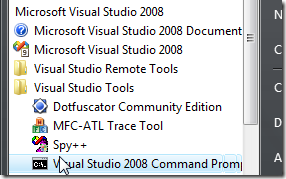
  2. open an Visual Studio 2008 Command Prompt
    Windows Vista Start->All Programs->Microsoft Visual Studio 2008->Visual Studio Tools->Visual Studio 2008 Command Prompt
    Click Start->All Programs->Microsoft Visual Studio 2008->Visual Studio Tools->Visual Studio 2008 Command Prompt just to be safe right mouse click and choose Run as Administrator.
  3. From the command prompt type Aspnet_regsql.exe press enter.
  4. Follow the wizard through choosing your database.
    Aspnet_regsql.exe wizard choose database
  5. When you have clicked finish.
  6. Now you have the ASPNETDB tables in the Northwind database.

Creating the Permissions Tables

For this I've created a bit of T-SQL (revised to use table and column names as primary keys instead of Id (int))

USE [Northwind]
GO
/****** Object:  Table [dbo].[AttributesTables]    Script Date: 06/12/2008 19:09:36 ******/
SET ANSI_NULLS ON
GO
SET QUOTED_IDENTIFIER ON
GO

PRINT 'Create Attribute Permissions Tables';
GO

IF NOT EXISTS (SELECT * FROM sys.objects WHERE object_id = OBJECT_ID(N'[dbo].[AttributesTables]') AND type in (N'U'))
BEGIN
    CREATE TABLE [dbo].[AttributesTables](
        [TableName] [nvarchar](50) NOT NULL,
     CONSTRAINT [PK_AttributesTables_1] PRIMARY KEY CLUSTERED 
    (
        [TableName] ASC
    )WITH (PAD_INDEX  = OFF, STATISTICS_NORECOMPUTE  = OFF, IGNORE_DUP_KEY = OFF, ALLOW_ROW_LOCKS  = ON, ALLOW_PAGE_LOCKS  = ON) ON [PRIMARY]
    ) ON [PRIMARY];
END
ELSE 
    PRINT 'Error: [dbo].[AttributesTables] already exists';
GO
/****** Object:  Table [dbo].[AttributesTablePermissions]    Script Date: 06/12/2008 19:09:36 ******/
SET ANSI_NULLS ON
GO
SET QUOTED_IDENTIFIER ON
GO
IF NOT EXISTS (SELECT * FROM sys.objects WHERE object_id = OBJECT_ID(N'[dbo].[AttributesTablePermissions]') AND type in (N'U'))
BEGIN
    CREATE TABLE [dbo].[AttributesTablePermissions](
        [Id] [int] IDENTITY(1,1) NOT NULL,
        [TableName] [nvarchar](50) NOT NULL,
        [Permission] [int] NOT NULL,
        [Roles] [nvarchar](1024) NOT NULL,
     CONSTRAINT [PK_AttributesTablePermissions] PRIMARY KEY CLUSTERED 
    (
        [Id] ASC
    )WITH (PAD_INDEX  = OFF, STATISTICS_NORECOMPUTE  = OFF, IGNORE_DUP_KEY = OFF, ALLOW_ROW_LOCKS  = ON, ALLOW_PAGE_LOCKS  = ON) ON [PRIMARY]
    ) ON [PRIMARY];
END
ELSE 
    PRINT 'Error: [dbo].[AttributesTablePermissions] already exists';
GO

/****** Object:  Table [dbo].[AttributesColumns]    Script Date: 06/12/2008 19:09:36 ******/
SET ANSI_NULLS ON
GO
SET QUOTED_IDENTIFIER ON
GO
IF NOT EXISTS (SELECT * FROM sys.objects WHERE object_id = OBJECT_ID(N'[dbo].[AttributesColumns]') AND type in (N'U'))
BEGIN
    CREATE TABLE [dbo].[AttributesColumns](
        [TableName] [nvarchar](50) NOT NULL,
        [ColumnName] [nvarchar](50) NOT NULL,
     CONSTRAINT [PK_AttributesColumns_1] PRIMARY KEY CLUSTERED 
    (
        [TableName] ASC,
        [ColumnName] ASC
    )WITH (PAD_INDEX  = OFF, STATISTICS_NORECOMPUTE  = OFF, IGNORE_DUP_KEY = OFF, ALLOW_ROW_LOCKS  = ON, ALLOW_PAGE_LOCKS  = ON) ON [PRIMARY]
    ) ON [PRIMARY];
END
ELSE 
    PRINT 'Error: [dbo].[AttributesColumns] already exists';
GO

/****** Object:  Table [dbo].[AttributesColumnPermissions]    Script Date: 06/12/2008 19:09:36 ******/
SET ANSI_NULLS ON
GO
SET QUOTED_IDENTIFIER ON
GO
IF NOT EXISTS (SELECT * FROM sys.objects WHERE object_id = OBJECT_ID(N'[dbo].[AttributesColumnPermissions]') AND type in (N'U'))
BEGIN
    CREATE TABLE [dbo].[AttributesColumnPermissions](
        [Id] [int] IDENTITY(1,1) NOT NULL,
        [TableName] [nvarchar](50) NOT NULL,
        [ColumnName] [nvarchar](50) NOT NULL,
        [Permission] [int] NOT NULL,
        [Roles] [nvarchar](1024) NOT NULL,
     CONSTRAINT [PK_AttributesColumnPermissions] PRIMARY KEY CLUSTERED 
    (
        [Id] ASC
    )WITH (PAD_INDEX  = OFF, STATISTICS_NORECOMPUTE  = OFF, IGNORE_DUP_KEY = OFF, ALLOW_ROW_LOCKS  = ON, ALLOW_PAGE_LOCKS  = ON) ON [PRIMARY]
    ) ON [PRIMARY];
END
ELSE 
    PRINT 'Error: [dbo].[AttributesColumnPermissions] already exists';
GO

/****** Now set up the relationshipd ******/
PRINT '';
PRINT 'Setup table relationships';
GO

/****** Object:  ForeignKey [FK_AttributesColumnPermissions_AttributesColumns]    Script Date: 06/14/2008 11:30:54 ******/
IF NOT EXISTS (SELECT * FROM sys.foreign_keys WHERE object_id = OBJECT_ID(N'[dbo].[FK_AttributesColumnPermissions_AttributesColumns]') AND parent_object_id = OBJECT_ID(N'[dbo].[AttributesColumnPermissions]'))
BEGIN
    ALTER TABLE [dbo].[AttributesColumnPermissions]  WITH CHECK ADD  CONSTRAINT [FK_AttributesColumnPermissions_AttributesColumns] FOREIGN KEY([TableName], [ColumnName])
    REFERENCES [dbo].[AttributesColumns] ([TableName], [ColumnName]);
    ALTER TABLE [dbo].[AttributesColumnPermissions] CHECK CONSTRAINT [FK_AttributesColumnPermissions_AttributesColumns];
END
ELSE 
    PRINT 'Error: [FK_AttributesColumnPermissions_AttributesColumns] already exists';
GO

/****** Object:  ForeignKey [FK_AttributesColumns_AttributesTables]    Script Date: 06/14/2008 11:30:54 ******/
IF NOT EXISTS (SELECT * FROM sys.foreign_keys WHERE object_id = OBJECT_ID(N'[dbo].[FK_AttributesColumns_AttributesTables]') AND parent_object_id = OBJECT_ID(N'[dbo].[AttributesColumns]'))
BEGIN
    ALTER TABLE [dbo].[AttributesColumns]  WITH CHECK ADD  CONSTRAINT [FK_AttributesColumns_AttributesTables] FOREIGN KEY([TableName])
    REFERENCES [dbo].[AttributesTables] ([TableName]);
    ALTER TABLE [dbo].[AttributesColumns] CHECK CONSTRAINT [FK_AttributesColumns_AttributesTables];
END
ELSE 
    PRINT 'Error: [FK_AttributesColumns_AttributesTables] already exists';
GO

/****** Object:  ForeignKey [FK_AttributesTablePermissions_AttributesTables]    Script Date: 06/14/2008 11:30:54 ******/
IF NOT EXISTS (SELECT * FROM sys.foreign_keys WHERE object_id = OBJECT_ID(N'[dbo].[FK_AttributesTablePermissions_AttributesTables]') AND parent_object_id = OBJECT_ID(N'[dbo].[AttributesTablePermissions]'))
BEGIN
    ALTER TABLE [dbo].[AttributesTablePermissions]  WITH CHECK ADD  CONSTRAINT [FK_AttributesTablePermissions_AttributesTables] FOREIGN KEY([TableName])
    REFERENCES [dbo].[AttributesTables] ([TableName]);
    ALTER TABLE [dbo].[AttributesTablePermissions] CHECK CONSTRAINT [FK_AttributesTablePermissions_AttributesTables];
END
ELSE 
    PRINT 'Error: [FK_AttributesTablePermissions_AttributesTables] already exists';
GO

**** The code below is now defunct Part 5 now cover this ****

/****** Now populate tables with Table and Column Names ******/
PRINT ''
PRINT 'Populate AttributesTables and AttributesColumns Tables';
GO

IF (SELECT COUNT(*) FROM [dbo].[AttributesTables]) = 0
BEGIN
    PRINT 'Populating: [AttributesTables]';
    INSERT INTO [dbo].[AttributesTables]
        SELECT [TABLE_NAME] AS [TableName]
          FROM [INFORMATION_SCHEMA].[TABLES]
          WHERE [TABLE_TYPE] = 'BASE TABLE' AND SUBSTRING([TABLE_NAME], 1, 10) <> 'Attributes' AND SUBSTRING([TABLE_NAME], 1, 7) <> 'aspnet_';
    PRINT '';
END
ELSE
    PRINT 'Error: [dbo].[AttributesTables] already has rows';


IF (SELECT COUNT(*) FROM [dbo].[AttributesColumns]) = 0
BEGIN
    PRINT 'Populating: [AttributesColumns]';
    INSERT INTO [dbo].[AttributesColumns]
        SELECT [AT].[TableName], [COLUMN_NAME] AS [ColumnName]
          FROM [INFORMATION_SCHEMA].[COLUMNS] AS T
          JOIN [dbo].[AttributesTables] AT ON
          [T].[TABLE_NAME] = [AT].[TableName];
    PRINT '';
END
ELSE
    PRINT 'Error: [dbo].[AttributesColumns] already has rows';
GO

This listing will create the Permissions Tables and populate them with the base data. This is what we will end up with (revised see above):

Attribute tables diagram

Attribute Tables

When you've run this T-SQL detach the database from the SQL Server Management Studio.

Updating web.config

The web.config must be updated (see below) to configure membership, profile and roleManager providers to use the Northwind database.

<connectionStrings>
    <remove name="NorthwindConnectionString" />
    <add name="NorthwindConnectionString" 
         connectionString="Data Source=.\SQLEXPRESS;AttachDbFilename=|DataDirectory|\Northwind.mdf;Integrated Security=True;User Instance=True"
    providerName="System.Data.SqlClient" />
</connectionStrings>

Updated Connection strings

<authentication mode="Forms">
    <forms loginUrl="~/Login.aspx" protection="All" path="/"/>
</authentication>
<authorization>
    <deny users="?"/>
</authorization>
<membership>
    <providers>
        <remove name="AspNetSqlMembershipProvider"/>
        <add name="AspNetSqlMembershipProvider" 
             type="System.Web.Security.SqlMembershipProvider, System.Web, Version=2.0.0.0, Culture=neutral, PublicKeyToken=b03f5f7f11d50a3a" 
             connectionStringName="NorthwindConnectionString" 
             enablePasswordRetrieval="false" 
             enablePasswordReset="true" 
             requiresQuestionAndAnswer="false" 
             applicationName="/" 
             requiresUniqueEmail="false" 
             passwordFormat="Hashed" 
             maxInvalidPasswordAttempts="5" 
             minRequiredPasswordLength="7" 
             minRequiredNonalphanumericCharacters="0" 
             passwordAttemptWindow="10" 
             passwordStrengthRegularExpression=""/>
    </providers>
</membership>
<profile>
    <providers>
        <remove name="AspNetSqlProfileProvider"/>
        <add name="AspNetSqlProfileProvider" 
             connectionStringName="NorthwindConnectionString" 
             applicationName="/" 
             type="System.Web.Profile.SqlProfileProvider, System.Web, Version=2.0.0.0, Culture=neutral, PublicKeyToken=b03f5f7f11d50a3a"/>
    </providers>
</profile>
<roleManager enabled="true">
    <providers>
        <remove name="AspNetSqlRoleProvider"/>
        <add name="AspNetSqlRoleProvider" 
             connectionStringName="NorthwindConnectionString" 
             applicationName="/" 
             type="System.Web.Security.SqlRoleProvider, System.Web, Version=2.0.0.0, Culture=neutral, PublicKeyToken=b03f5f7f11d50a3a"/>
        <remove name="AspNetWindowsTokenRoleProvider"/>
        <add name="AspNetWindowsTokenRoleProvider" 
             applicationName="/" 
             type="System.Web.Security.WindowsTokenRoleProvider, System.Web, Version=2.0.0.0, Culture=neutral, PublicKeyToken=b03f5f7f11d50a3a"/>
    </providers>
</roleManager>

Updated <system.web>

I've updated the connection string to remove the connection first and added membership, profile and roleManager sections to the <system.web> section of the web.config file.

Revised

I've changed the format of the tables so that they no longer use Id (int) as primary keys. I have substituted TableName and ColumnName as primary keys this will allow the content of the main tables (AttributesTables & AttributesColumns) and  to be updated while the user maintained table (AttributesTablePermissions & AttributesColumnPermissions) remain intact (for the most part, if you for instance rename a table or column then the attributes defined in the user maintained tables will become orphaned).

More additions

You will need to add a Login.aspx page with a login control on to the root of the website.

Next

Creating the user interface for setting the database based attributes.